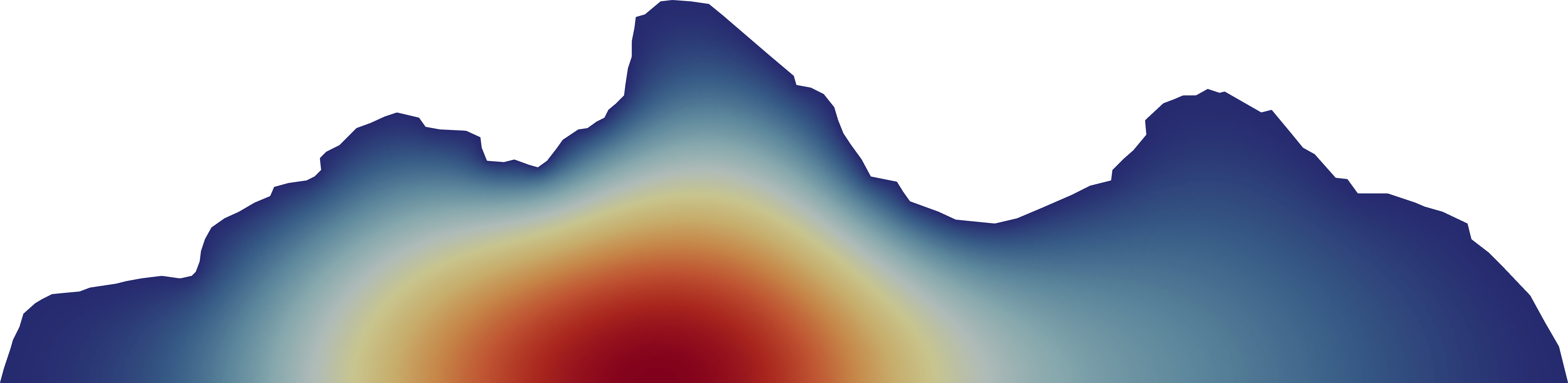
Mesh of the Tetons
I have been thinking about the Finite Element Method (FEM) more lately. I wanted to show off some “pretty pictures” using unstructured mesh. I like climbing in the Tetons and some photo of the Tetons is the background on most screens that I own, so it seemed like a natural place to start.
I began by finding an appropriate image. I wanted a view of the Tetons from the Idaho-side (west-side) since that’s my typical view from where I live. Then, I used a tool to extract coordinates from the image. Specifically, I used the PlotDigitizer.
I wrote a small Python script to process these coordinates into a Gmsh input file. It took a bit of tweaking to get something that looks good and I had to manually edit a few points. I made sure to specify the lines at the top and at the bottom as Physical so that I could use them to apply boundary conditions.
Finally, I used MEZCAL which was a code that I wrote during my Ph.D. MEZCAL is based on the mfem finite element framework. In my research, I was solving the neutron transport equation. But since I’m just chasing pretty pictures, I used it to solve the neutron diffusion equation.
I’m pretty happy with the results! I chose to set a zero Dirichlet boundary condition on the trace of the mountains and a reflective (natural) boundary condition on the line for the ground. With some help of a nice color scheme and some manipulation in ParaView, I’m pretty happy with the results!